Checks for tricks first
Some emails hide instructions meant to fool an AI. A separate model checks every email, and the rest of the conversation, before drafting. If it spots a trick, it skips the draft.
Coming soon to KT8 Mail. Switch it on and KT8 Mail will draft a reply to each new email for you to check. It will run on Workers AI in your own Cloudflare account, so your email never comes to us or goes to an AI company.
The assistant is switched off for everyone while we finish it. You can already see its settings in Settings, under AI assistant.
Most AI email tools send your messages to their own servers, or to a big AI company. Ours won't. The AI will run on Workers AI, inside the same Cloudflare account that already holds your mailbox.
When a new email arrives, the assistant will read it with the rest of the conversation and write a reply in plain, natural English. It saves the reply in Drafts, so you can send it, change it or bin it.
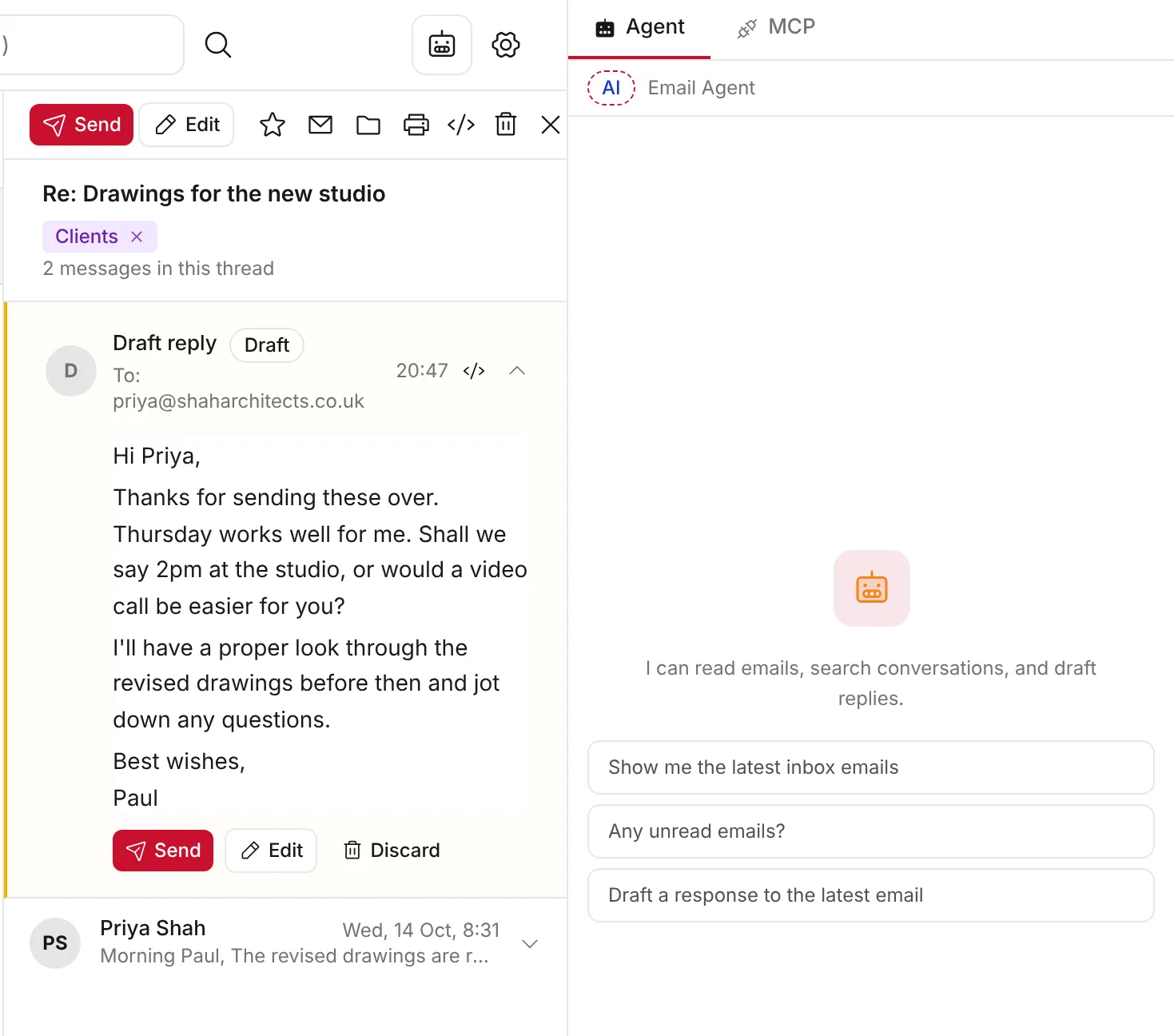
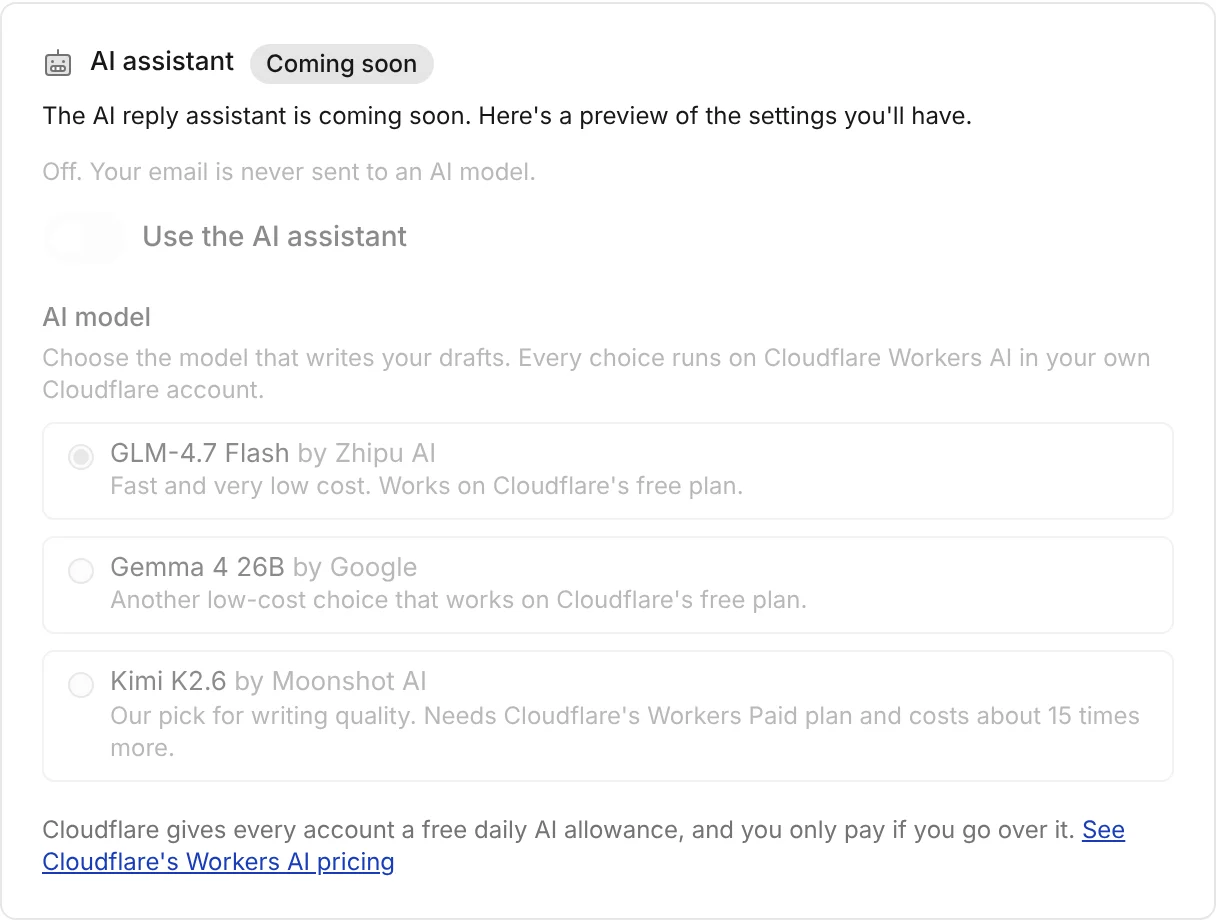
The assistant will be off for every mailbox when you install KT8 Mail. You'll turn it on in Settings, one mailbox at a time. When it's off, KT8 Mail sends nothing to an AI model.
Some emails hide instructions meant to fool an AI. A separate model checks every email, and the rest of the conversation, before drafting. If it spots a trick, it skips the draft.
Email that lands in Spam is never passed to the assistant, and neither is anything your inbox rules send to Spam or the Bin.
A final check removes any of the assistant's own notes, so your draft reads like a normal email from you.
The assistant will use open models. Cloudflare runs them on its own network, as part of Workers AI. Their makers don't run them and don't receive your email. You'll be able to choose the model that writes your replies: GLM-4.7 Flash (the default), Gemma 4 26B by Google, or Kimi K2.6 by Moonshot AI, which needs Cloudflare's Workers Paid plan.
Made by Zhipu AI (Z.ai)
Made by Meta
Made by Meta
"Cloudflare does not use your Customer Content to (1) train any AI models made available on Workers AI or (2) improve any Cloudflare or third-party services, and would not do so unless we received your explicit consent."
From Cloudflare's Workers AI data usage page, which says Customer Content includes your prompts and the replies the AI writes. See also Cloudflare's Developer Platform terms.
We chose small, efficient models so you can use the assistant freely. We expect Workers AI's free daily allowance to cover dozens of drafts a day, and it works on Cloudflare's free plan. See Cloudflare's Workers AI pricing.
On the free plan, the assistant will simply pause until the next day if you use up the allowance. On Workers Paid, extra use costs very little and goes on your own Cloudflare bill. We never charge for it.
AI can get things wrong. That's why it will only ever write drafts, and you decide what goes out.
Admins can connect an AI tool such as Claude to KT8 Mail through its MCP link. That tool then reads the mail you ask it to, under its own maker's privacy terms. KT8 Mail's built-in assistant is off, and will stay off unless you switch it on.
Install KT8 Mail on your own Cloudflare account in about ten minutes. It's free.