Inbox rules
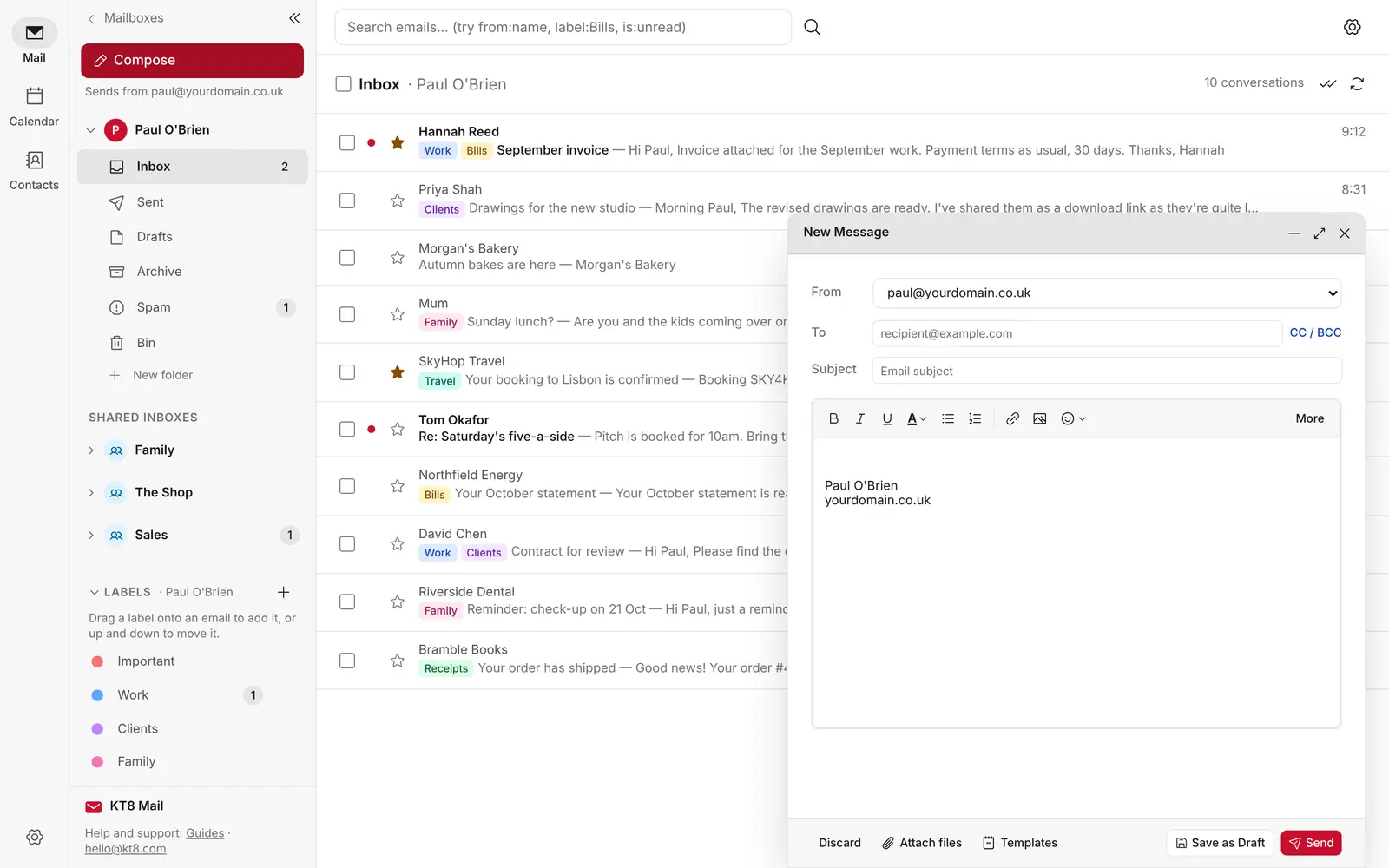
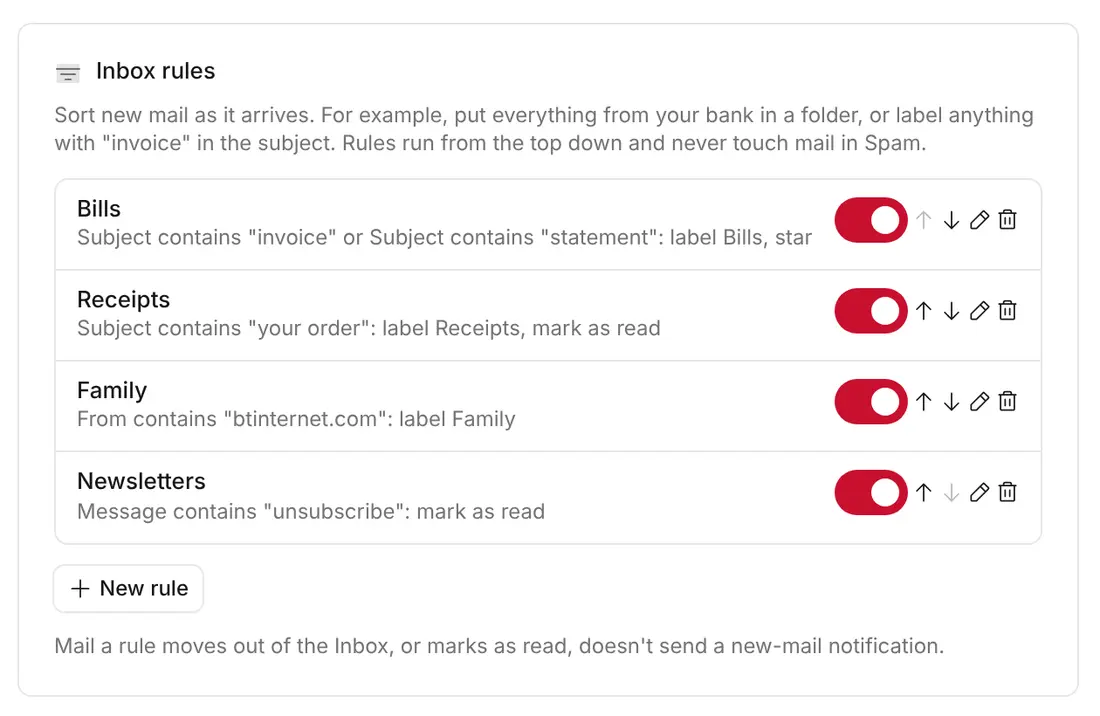
Sort new mail as it arrives. Choose who it's from, who it was sent to, or words in the subject or message, then move it to a folder, add labels, mark it as read or star it.
Everything you need from a modern email suite: calendar, contacts, team inboxes, rules, and privacy protection on your own domain. No monthly platform fees from KT8 Mail. Just run it natively on your Cloudflare account.
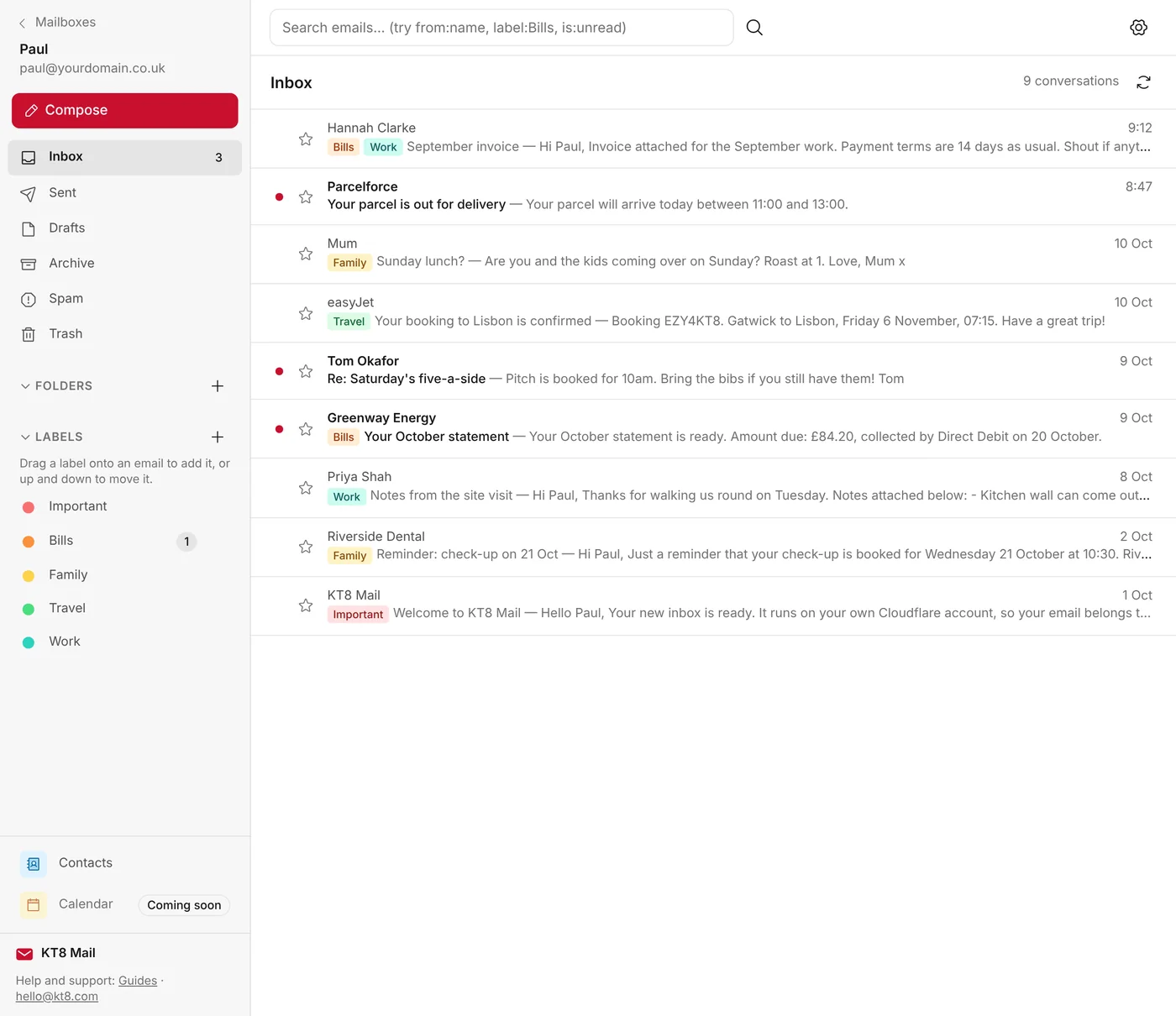
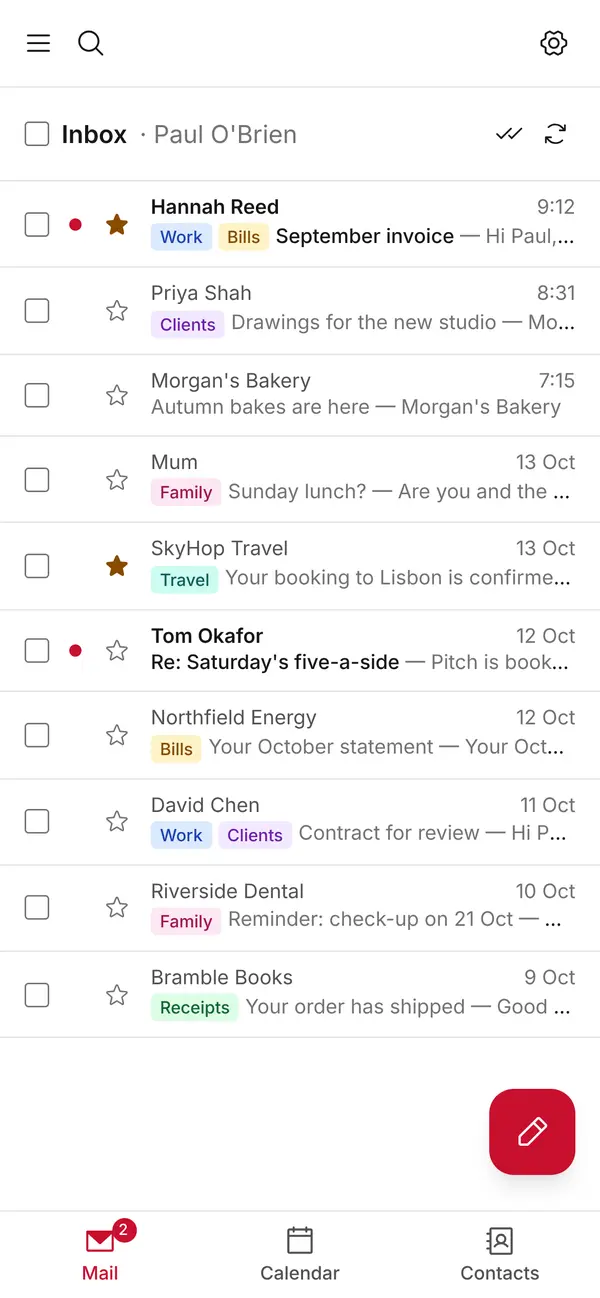
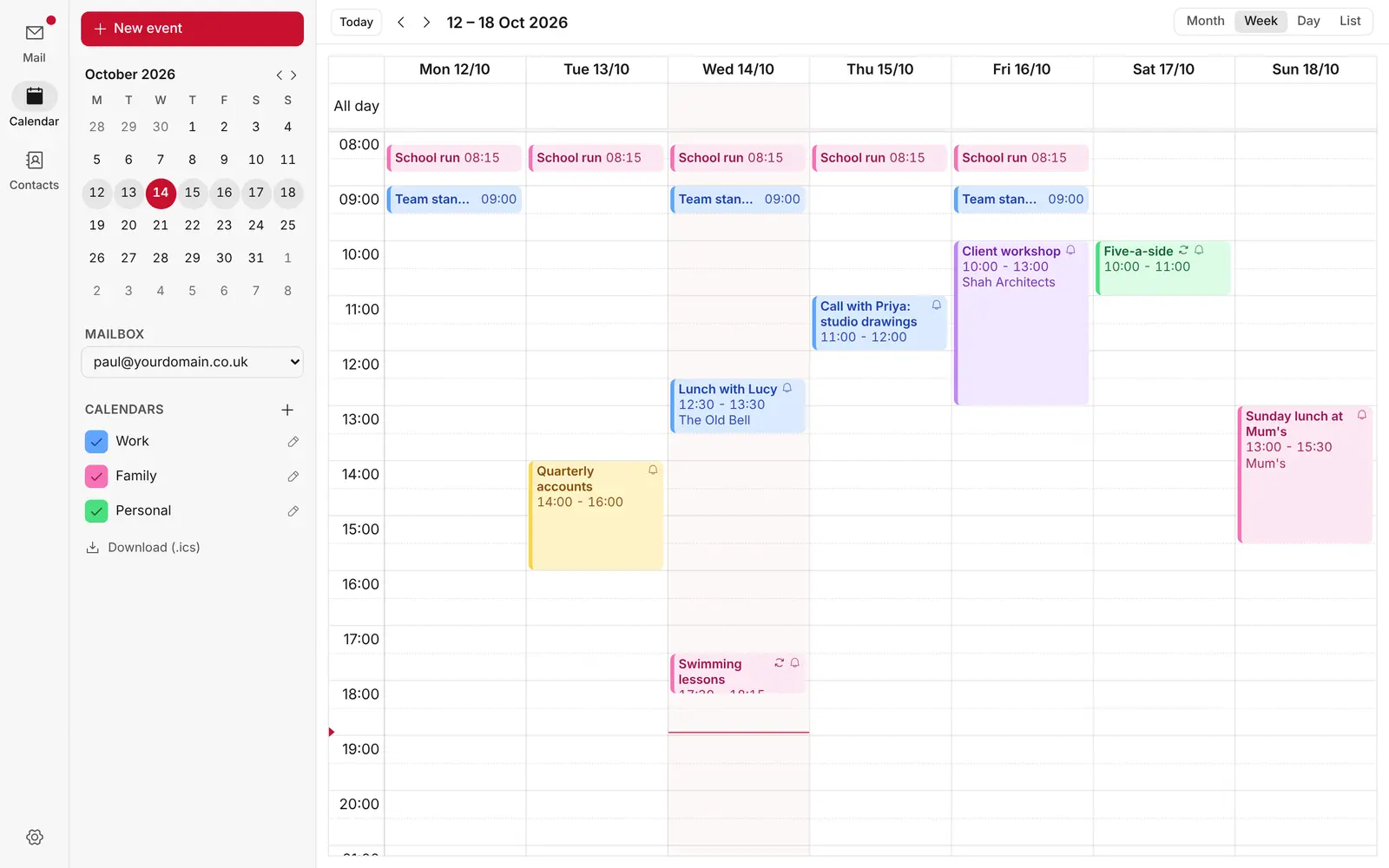
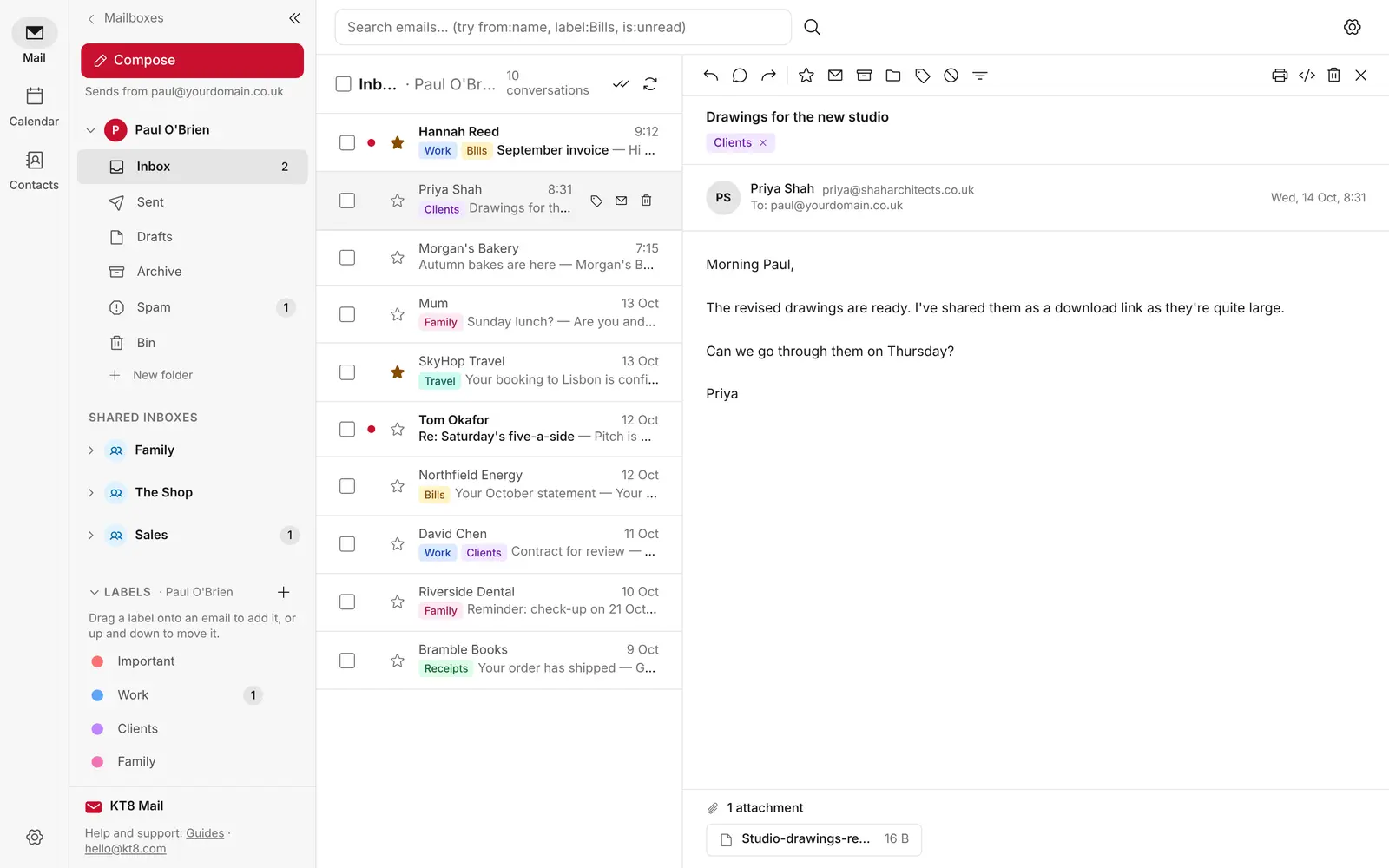
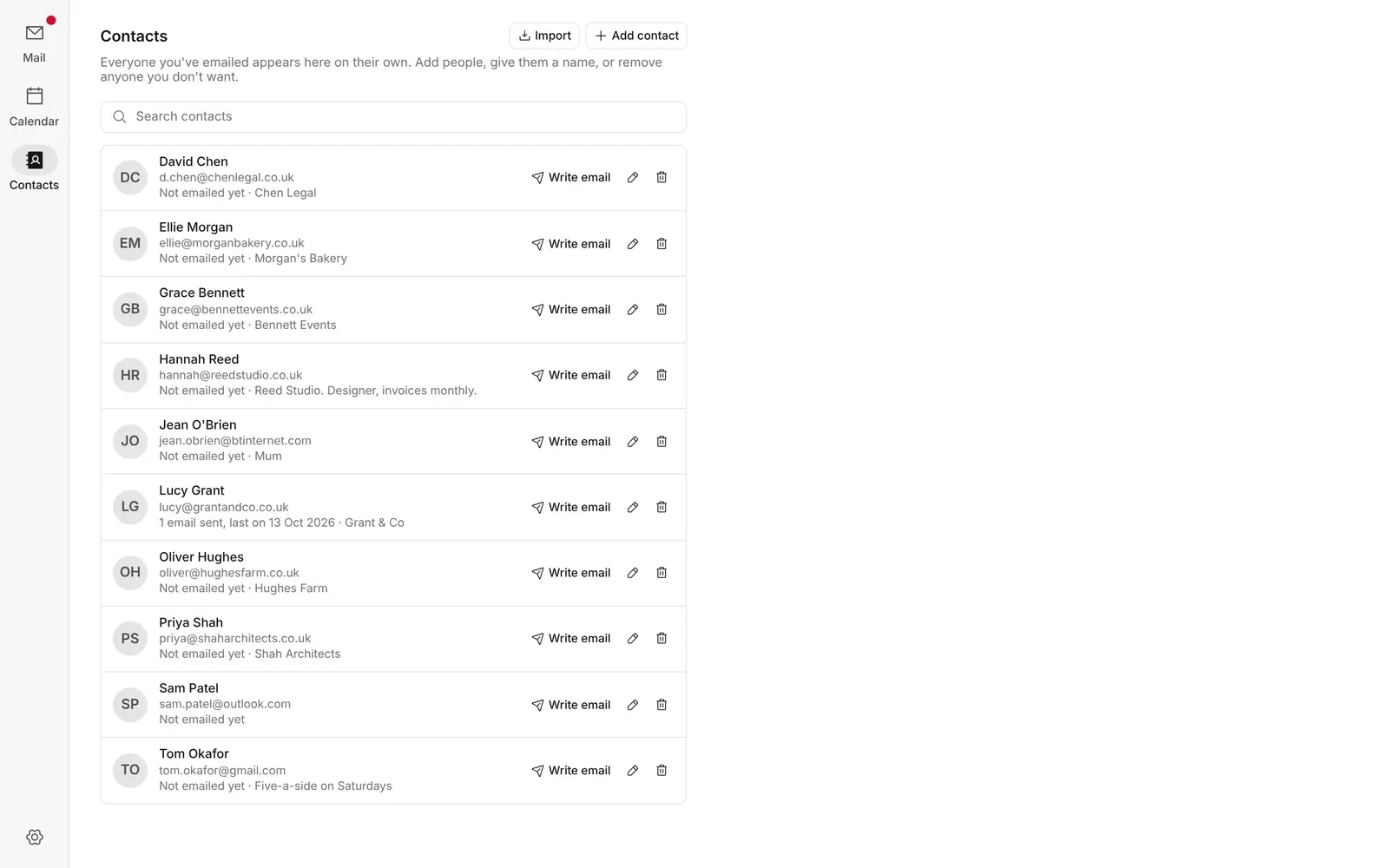
Screenshots of KT8 Mail. Names and messages are examples.
Host multiple domains on a single KT8 Mail install. Manage them easily from the admin page.
Up to 50 personal mailboxes, plus shared mailboxes and as many aliases as you need.
One inbox. Zero mixed messages. Effortlessly manage sales@, support@ or hello@ as a team. Unlimited shared mailboxes.
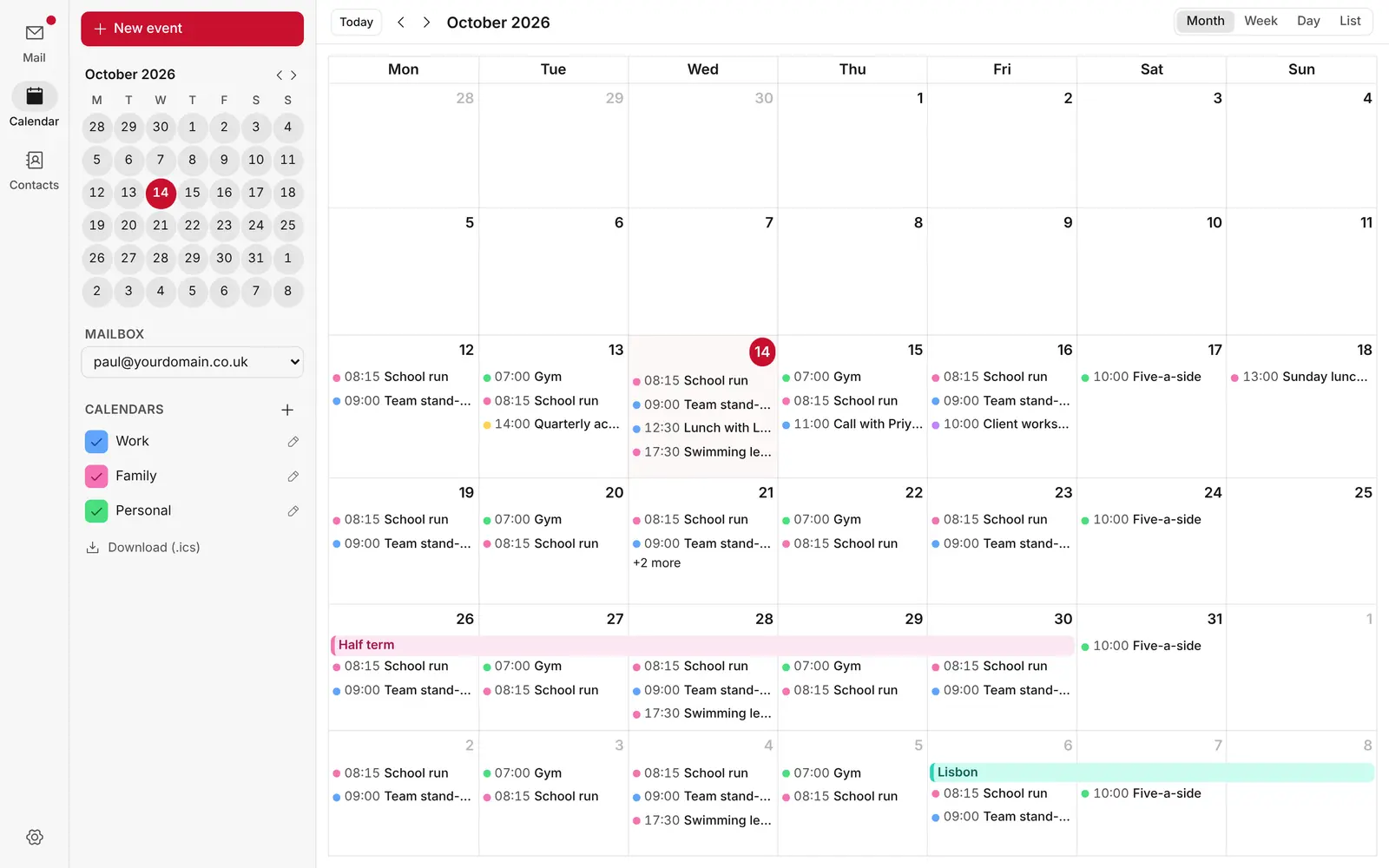
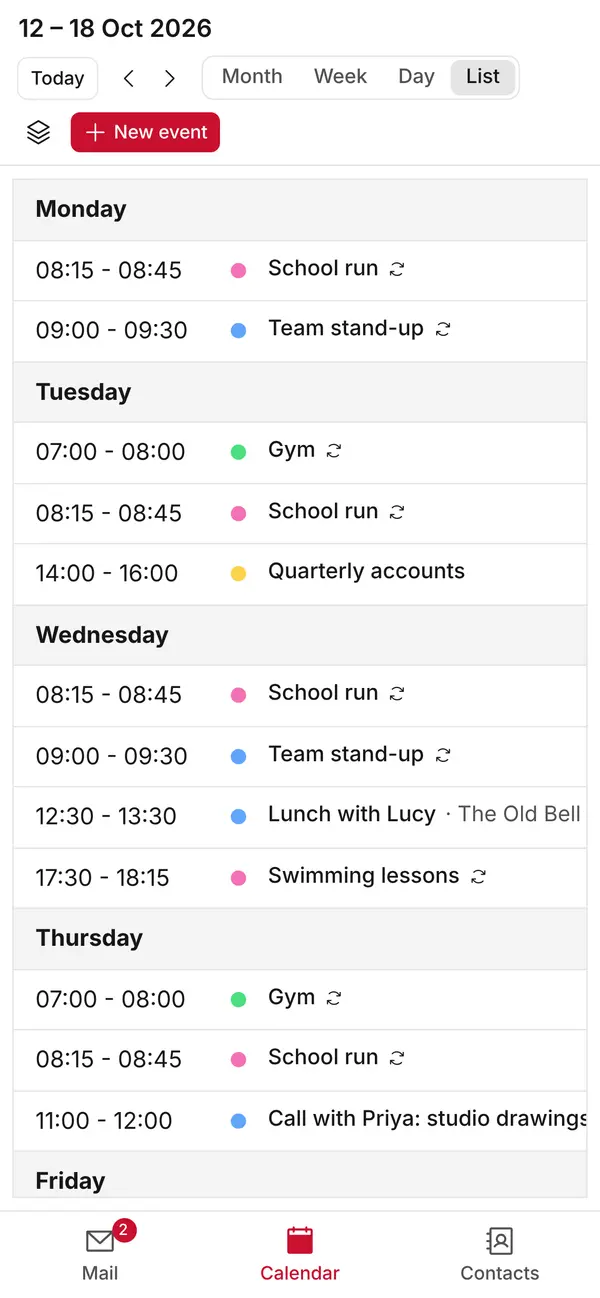
Team and family calendars you can share, view and edit together.
Runs on Cloudflare’s global network, served by a data centre near you.
KT8 Mail charges no software fees. Outbound email uses Cloudflare’s Workers Paid plan ($5 a month paid directly to Cloudflare for your entire organisation, not per user). Inbound email routing is completely free.
Get every feature, security update, and enhancement without enterprise upsells.
Manage your schedule right alongside your inbox with month, week, day and list views. Drag and drop to create or reschedule events, customise colours, set repeat rules and receive push reminders on your phone and Mac. Private events automatically display as Busy to others.
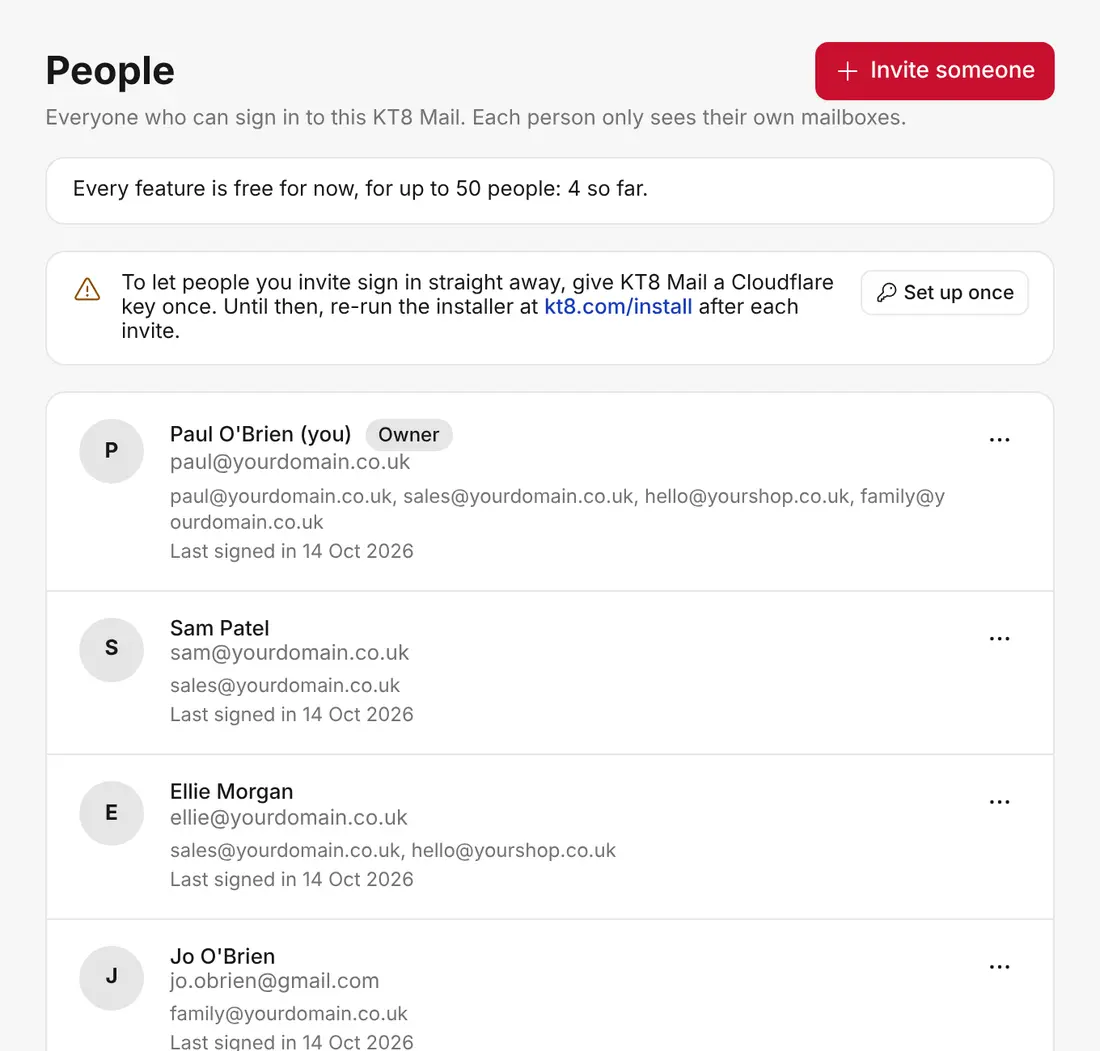
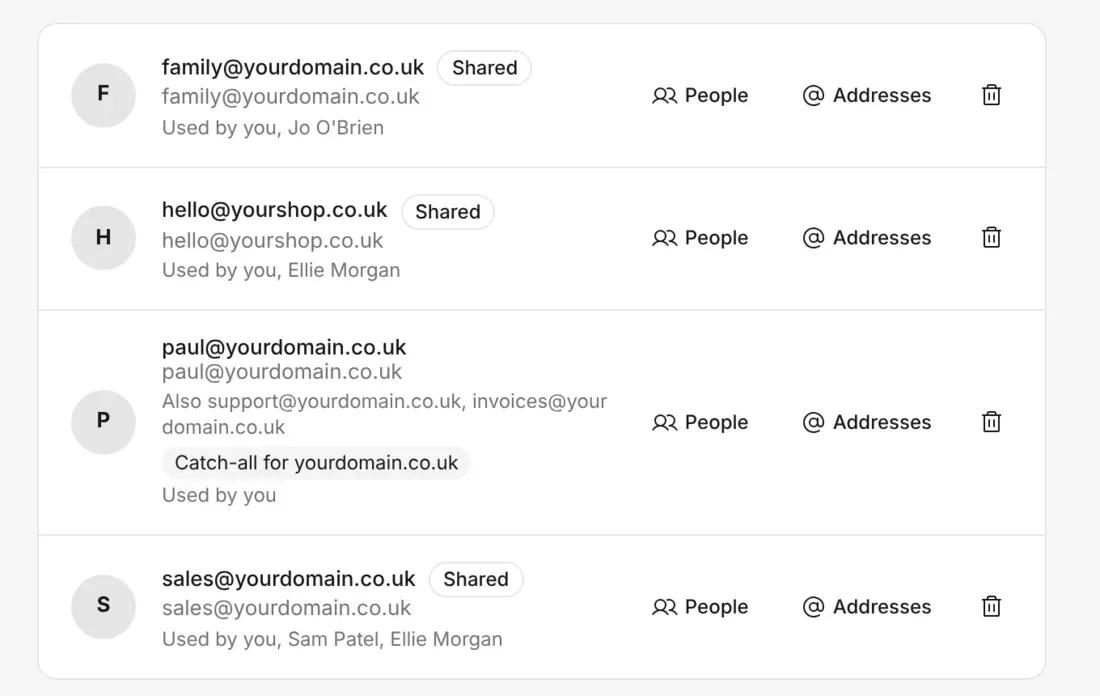
Invite colleagues or family to sign in with their own email address and open only the mailboxes you give them. Shared inboxes like sales@ sit in everyone's sidebar, and each reply shows who sent it.
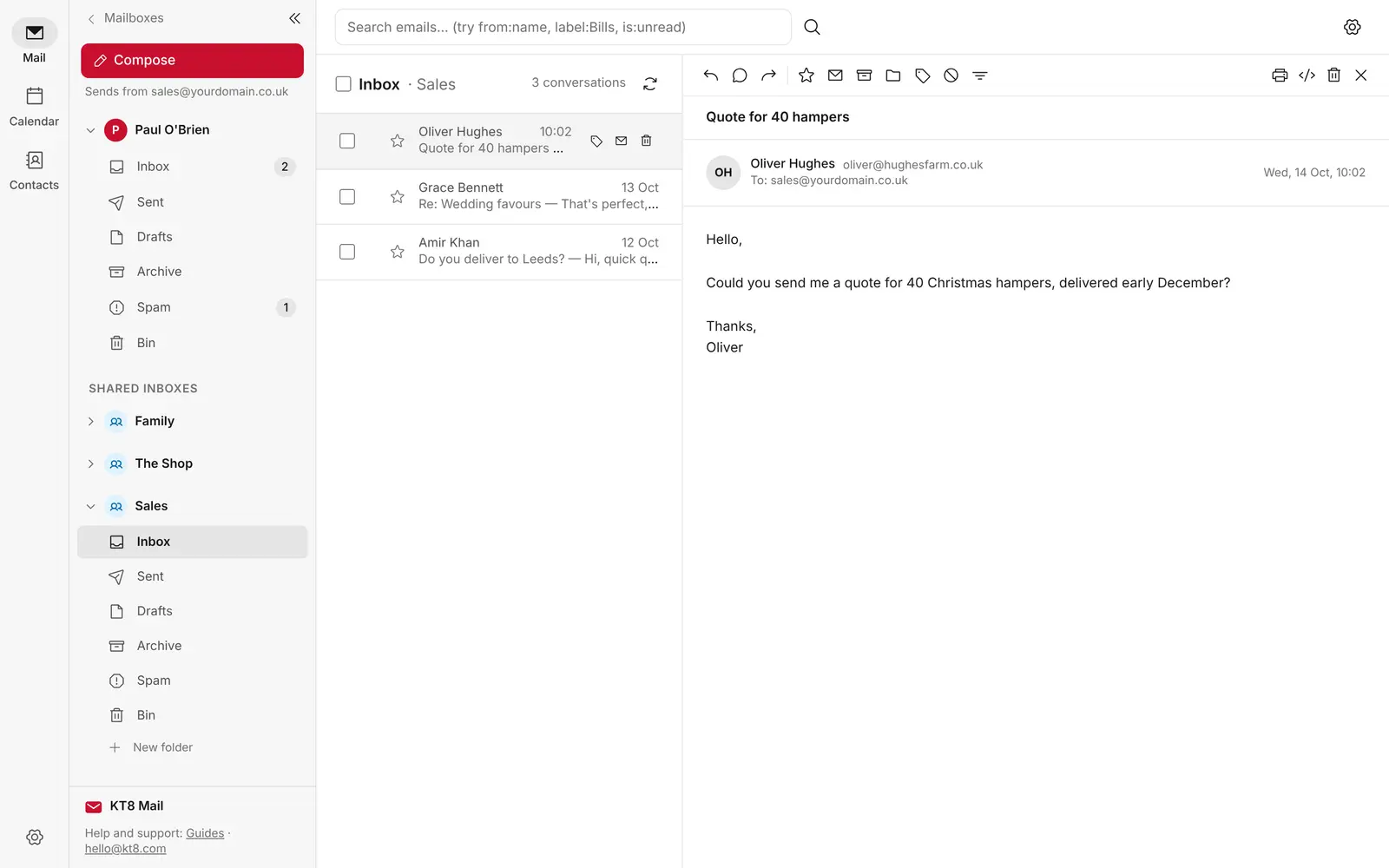
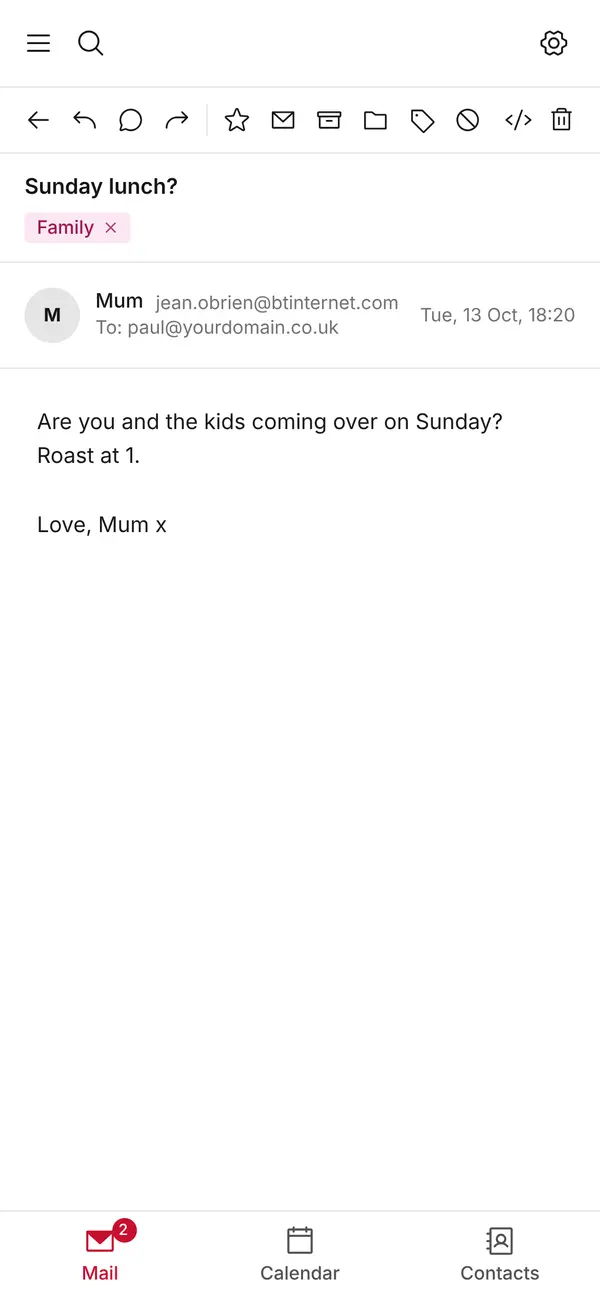
Access your communications from any modern browser on desktop, tablet, or mobile. Pin KT8 Mail to your Windows PC taskbar, Mac Dock, iOS home screen, or Android app drawer with full push notifications and unread badge counts.
Works anywhereProgressive Web App (PWA)
Sort new mail as it arrives. Choose who it's from, who it was sent to, or words in the subject or message, then move it to a folder, add labels, mark it as read or star it.
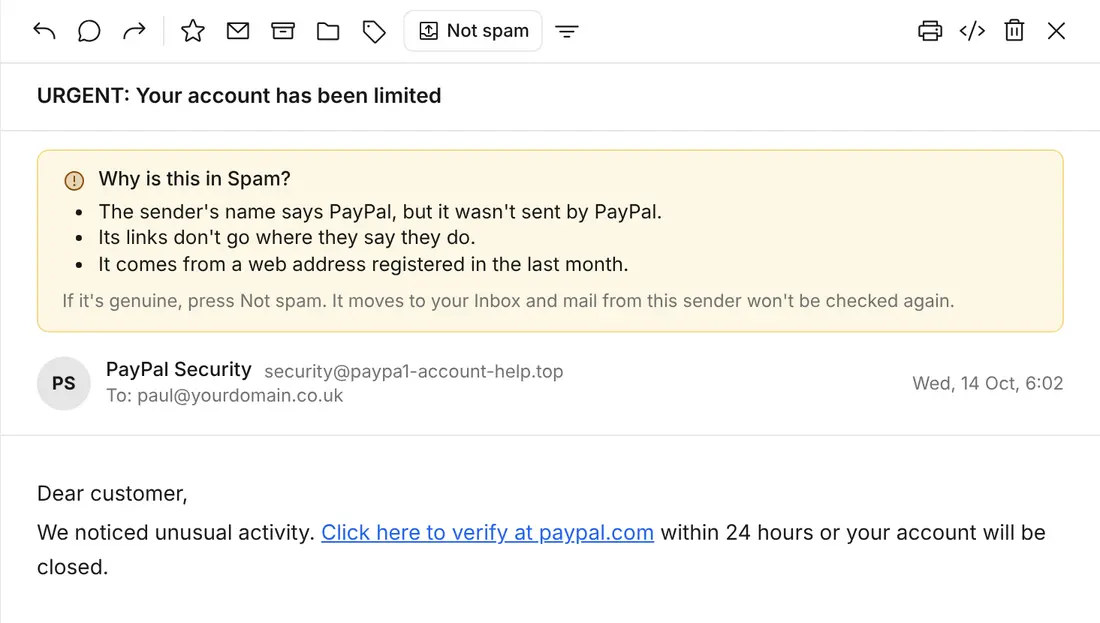
Automated analysis filters out phishing attempts, spoofed senders, and junk mail. Quarantined emails clearly explain why they were flagged in plain language.
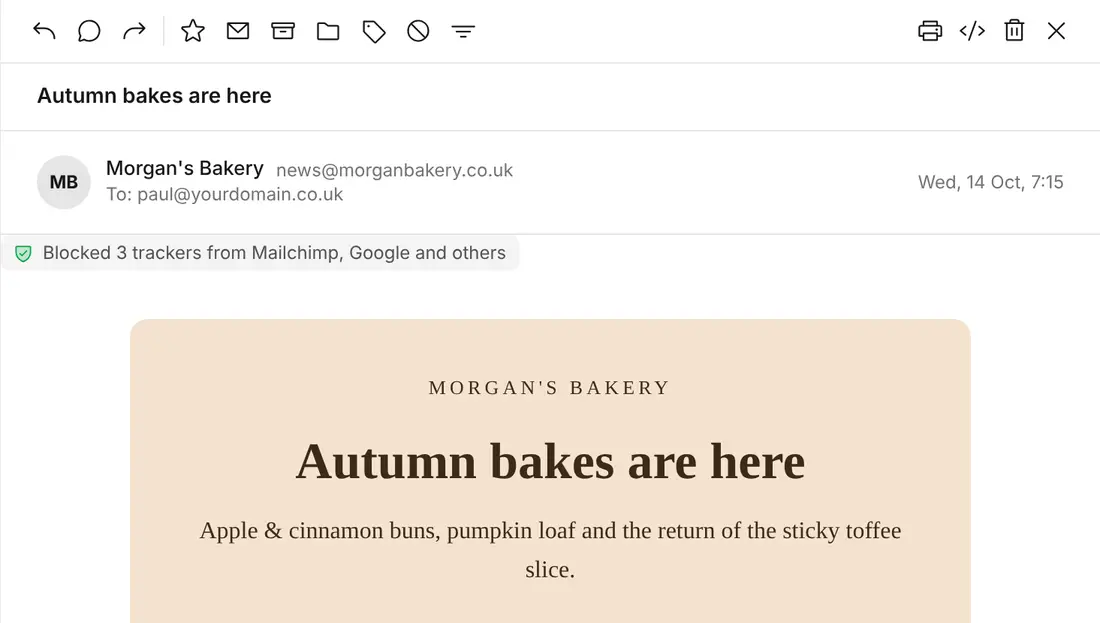
Block hidden trackers so senders can't tell when or where you opened their email.
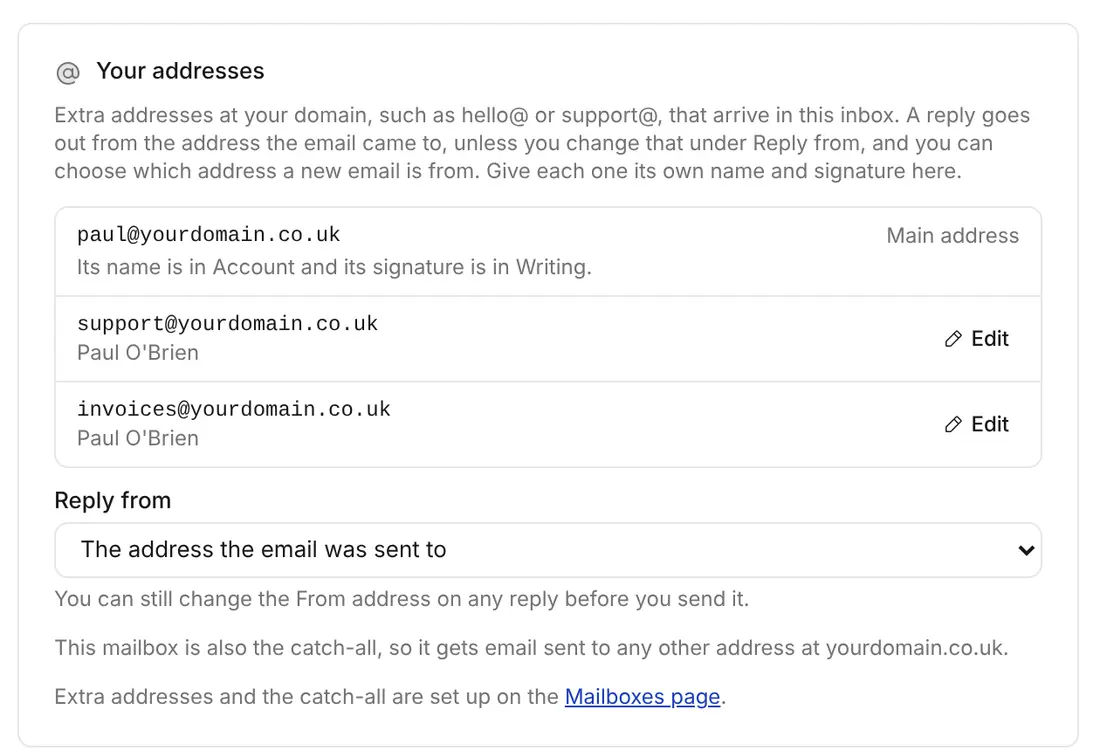
Manage aliases like hello@ or support@ from a single inbox. KT8 Mail automatically selects the correct reply-from address for incoming mail, while catch-all routing prevents misaddressed emails from bouncing.
Configure and manage unlimited mailboxes and custom domain aliases from a single dashboard.
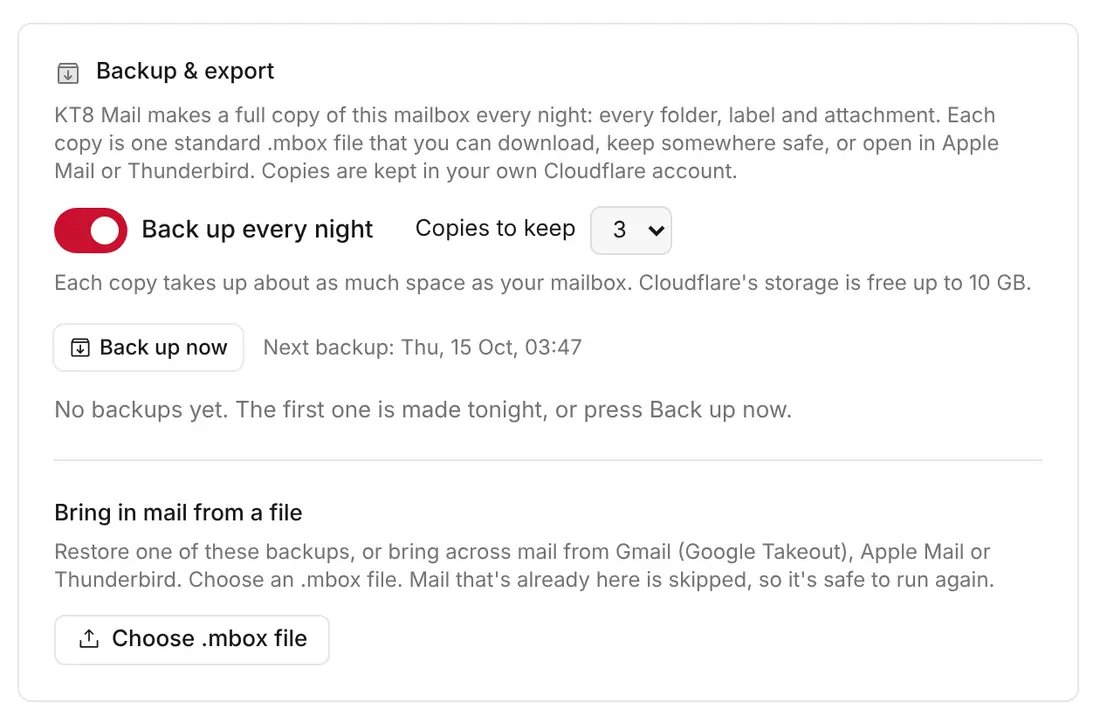
Nightly backups of all your mail, a one-click download, and an easy way to bring your old mail across from Gmail, Apple Mail or Thunderbird.
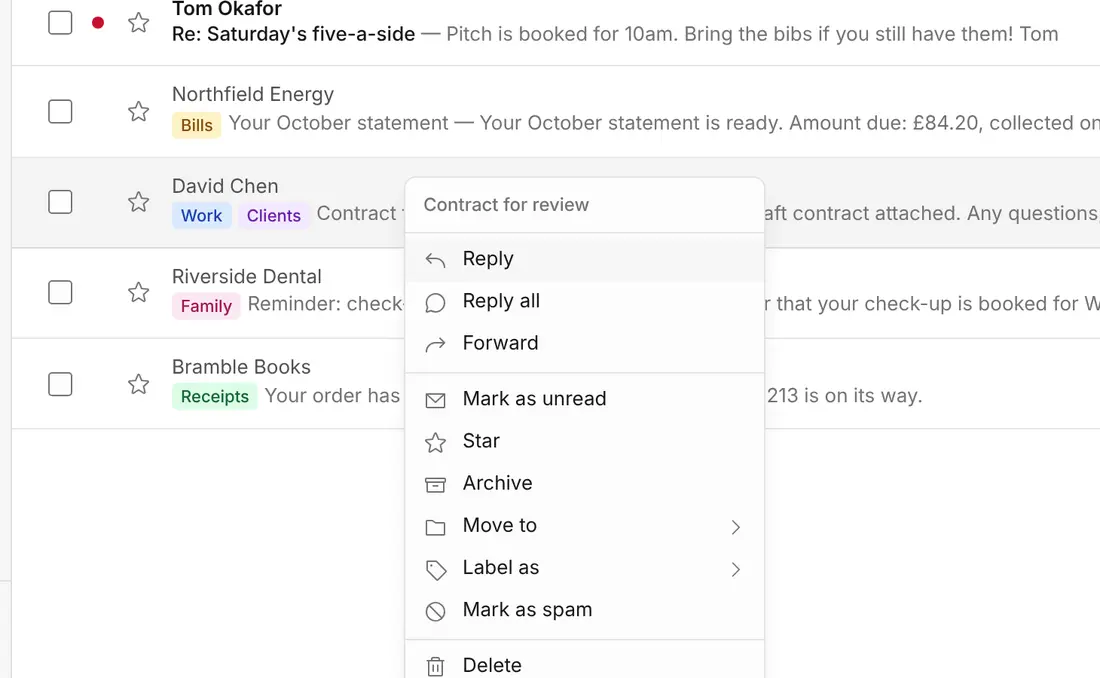
Organise rapidly using folders and labels. Right-click on desktop or press and hold on mobile to reply, label, archive, or move messages without opening them.
Calendar, team inboxes, inbox rules, spam filtering, multiple domains, and all 17 features.
Sound on for the music. The Cloudflare sign-in is an example screen.
You only pay the $5 a month to Cloudflare.
$5a month, paid to Cloudflare
Your mail lives in your own Cloudflare account. Just receiving? That part is free.
What's Cloudflare? →Sign in with Cloudflare, pick your domain, and the installer does the rest.
See the steps →Updating later is the same: run the installer again, and your mail and settings are kept.
There are no paid tiers, no locked features, and no premium editions. You get everything you see today, and every feature, upgrade and security fix released in the future, completely free of charge.
Up to 50
personal mailboxes included
$5 a month for your whole organisation, not per person. Secure passwordless sign-in via Cloudflare Zero Trust is completely free for up to 50 user accounts, with shared mailboxes (like sales@ or support@) and email aliases included at no extra cost.

I've spent over twenty years in tech, software development and corporate resilience, always keeping a close eye on email infrastructure and cyber security. In that time I've hopped between almost every email provider on the market (Fastmail was my long-time favourite), and I always joked about building my own to get everything just right.
When Cloudflare introduced Email Sending alongside its open-source Agentic Inbox project, I saw the chance to turn that running joke into reality.
In a matter of days, I turned a basic prototype into KT8 Mail: a complete webmail app hosted on Cloudflare for just $5 a month. I packed it with the features I need every day: Team Access & Shared Inboxes, Multiple addresses & catch-all, Large file sharing with encrypted download links, Organise with folders & labels, Automated replies & templates, and Backup & export.
Rather than turn it into another paid subscription service, I've made KT8 Mail completely free and open source. Every feature, update and security fix is free for everyone, with no tracking, no adverts and no lock-in. (If it leads to the occasional custom development project for my consultancy, that's a great bonus.)
Install your free copy today, and join our community forum to share feature requests and chat about the future of the app.
You own your data. No tracking pixels, no adverts, no snooping. Export everything whenever you like, as a standard file any mail app can open.
Nothing. Our installer only has access while it sets things up, then hands its permission back. Your mail, contacts and settings live in your Cloudflare account, not ours. Our privacy notice →
Cloudflare runs the servers your mail is stored on, under your own account. Like every email service, it keeps a delivery log of who sent mail to whom, for up to 30 days. Cloudflare's privacy policy →
Every line of KT8 Mail is open, so anyone can check what it does. Read the code on GitHub →
Install KT8 Mail on your own Cloudflare account in about ten minutes. It's free.
Not ready yet? Leave your email address for the occasional update. We only keep your address and the date, and you can ask us to delete it at any time.
KT8 Mail is kept free by sponsors and by setup and custom work. Questions? Read the common questions.